


Bitdeer
Sealminer A2 Hashboard Repair Service
Sealminer A2 Hashboard Repair Service
By placing your order you agree to our Terms of Service, Warranty Terms and Refund Policy.
Drop off available in Fort Lauderdale, FL (2141 NE 51st Ct).
Repair guide last verified:
▸How to ship your hardware
Share


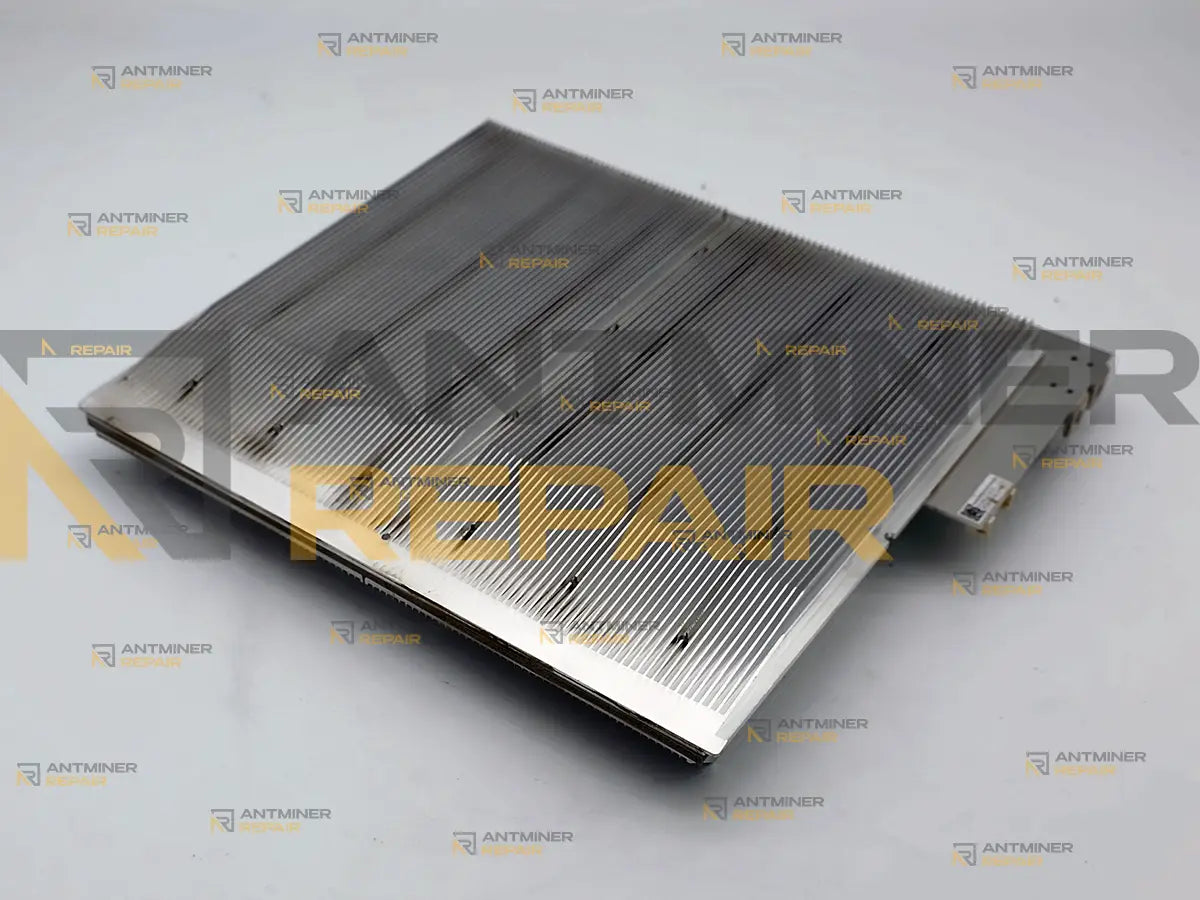
Yes. Sealminer A2 hashboard repair brings back a board that has stopped hashing or come back short. The miner's User Panel lists all three boards with their own hashrate and temperature; a board at zero, one sitting under its neighbours, or one missing from the list is a fault. Component-level repair in the USA, 4-5 business days.
Sealminer A2 hashboard repair puts a machine back on its full 226-231 TH/s instead of leaving it running on two thirds of itself. We diagnose at board level, repair at component level and validate under load, in our USA-based lab. Working out which of the three boards inside has actually failed is not your job and not something the machine makes obvious. You tell us what the numbers did; we open it and find out why.
Technical Diagnostics and Common Issues with Sealminer A2
Quick Symptom Checklist
These are the readings that bring an A2 to us. Rates and counts differ from machine to machine and between production batches, so match the shape of what you see rather than the digits.
- One board shows 0 TH/s in the User Panel while the other two keep working, and the machine settles near 150 TH/s
- One board's hashrate sits below the other two and never catches up, however long the machine runs
- A board is gone from the list altogether - not zero, absent - after a restart or a power cut
- The rate falls away as the machine warms up and comes back after it has stood powered off for an hour
- One board's temperature reads far from the other two, or reads nothing at all
- The miner restarts on its own a few minutes after it reaches full rate
- The Error Code page names a board -
441=Board 2 initialize failor one like it - while the other two boards carry on hashing - Nothing in the interface turns red, but accepted work has been drifting down for weeks
About the error codes, plainly. The A2 does report codes, and they are more readable than they look. The machine keeps one list of plain decimal numbers - not hex, not a bit mask - and shows that same list in three places: the Error Code page of the web interface, the Error Code field it serves on port 4028, and the Event Recorder, which writes Add error code 441 when a fault appears and Delete error code 441 when it clears. On every hashboard code the last digit is the board and the rest is the fault: 440, 441 and 442 are one failure on board 1, board 2 and board 3. Read the family, not the exact number.
Two things about those codes catch people out. The active list lives in memory only, so a restart empties it without recording anything - the code can be gone from the live field while the fault is still on the board, and the Event Recorder is the one place the history survives. And miner_error_code:"000000" in the status summary is a fixed value in the firmware: it reads 000000 on a healthy machine and on a failed one alike, so it is not an all-clear. The table further down covers the codes that mean the hashboard, and the ones that do not.
Model-Specific Patterns We See on Sealminer A2
The board that went quiet while the machine stayed up. An A2 with one board down does not stop; it keeps hashing on what is left, and the owner usually finds out from the revenue rather than from an alarm. What you see is a rate that has settled at roughly two thirds of the machine and stays there. It is not the pool and not the network - both of those take the whole machine down, not one board of three. The fault is on that board, and separating the possible causes is bench work.
You cannot count your way to the answer on this model, and that is not your fault. On most machines an owner can compare the chip count a board reports against the number the manufacturer publishes. Bitdeer publishes no chip count for the A2, no board reference and no service documentation of any kind, so there is no published number to compare against. The counts in our table below are ones we took off a board on our own bench, and even with them the machine never shows an owner a chip count: what you can see is the per-board rate, the temperature and whatever error code the machine has raised, and on this model that is the whole of the evidence available to you. It is enough to tell us the machine has a problem, and it is not enough to tell you which one.
Heat that shows in the numbers before it shows anywhere else. An A2 pushes roughly 1.4 kW through each of its three boards in an air-cooled chassis, measured at the wall rather than taken off the spec sheet. When the thermal path stops doing its job, the machine does not fail - it fades, a little more each week, and recovers whenever it has been off long enough to cool. Owners routinely read this as a pool problem or a bad tune. It is neither, and by the time it is obvious the board has usually been running hot for months.
The board that came back worse than it went away. Getting a board out of an A2 is a mechanical job rather than a plug-and-play one, and boards that have already been out once reach us carrying the original fault plus something new that was added on the way. We see this most often on machines bought second hand, where someone had a look before selling. We record the condition of every board at intake for exactly this reason.
Hardware Notes
| Specification | Details |
|---|---|
| Algorithm and cooling | SHA-256 (Bitcoin), air-cooled, four fans |
| Rated hashrate | 226 TH/s on the spec sheet, and the machines are binned: the A2 on our bench reports 231.4 TH/s. 200-240 V single phase |
| Hashboards per miner | Three. Bitdeer's own A2 air-cooling guide walks through removing the middle one of them |
| What one board is worth | A third of the machine, around 75-77 TH/s depending on the bin, and a third of what it earns for every day it is down |
| Power draw, measured | The sheet says 3,729 W. On our own meter the machine pulls about 4.2 kW at the wall, which puts roughly 1.4 kW through each of the three boards and is the figure we size the thermal work against |
| Chip family | SEAL02, Bitdeer's own SHA-256 chip, fabricated at TSMC. It is used in no other manufacturer's hardware, and no third-party firmware exists for it |
| Chips per board | 153 SEAL02 chips on a board, 459 in a complete miner. Counted on a board on our own bench, because Bitdeer publishes no figure |
| Chip grouping | 51 power domains of three chips each, which is where a single dead chip takes its neighbours with it |
| Hashboard part number |
B4D3A2-HB-513-V1_3-20241230, printed along the board edge. Bitdeer publishes nothing about it; we read it off the board at intake and record it with your repair |
| Spare boards on the market | None. Bitdeer sells the A2 control board, power supply and fans as spare parts, and nobody sells a hashboard at any price (checked October 2026). We do hold SEAL02 chips for this board, so a dead chip is replaced rather than the board written off |
What the Log Is Telling You
You do not have to act on anything in this table. It is here so you know what state the board is in before you decide to ship it. The codes are quoted the way this machine writes them, with board 1 as the example: the same fault on board 2 or board 3 is the next number up, or the one after that.
| What you see | What it usually means | What we do with it |
|---|---|---|
420=Board 1 not insert, or a board simply absent from the list |
The machine is not seeing the board at all, which is a different thing from a board hashing badly. Both ends of that connection produce it | We rule out the machine side first, then bring the board up on the bench where it is the only thing in the circuit |
400=Board 1 clk detect error, 410=Board 1 reset detect error
|
The board never got as far as answering. These are the first checks the miner runs on a board as it powers up, and it failed at one of them | We repeat that start-up sequence on HashProbe and work from the point where the board stops responding |
430=Board 1 communication test error, 480=Board 1 communication error
|
The board is there and answering, but the link to it does not hold. The first is a failure at start-up, the second a board that dropped out while running | We load the board and watch it answer while it is hot, because an intermittent link does not show itself on a cold bench |
440=Board 1 initialize fail |
The board passes its sensors and its first checks, then never reaches working state. It is answering and failing under configuration, which is a different class of fault from a board that is absent or silent | We take it through the same sequence step by step and find the step it will not complete. This one is often repairable without replacing a chip at all |
450=Board 1 bad chip too much |
The machine found more chips not answering than it is willing to run the board with, and stopped using it | HashProbe maps all 153 chips across their 51 groups, and we establish what took them out before any of them is replaced |
470=Board 1 low hashrate, or one board sitting below the other two |
The board runs but does not do its share. Chips that answer and chips that produce accepted work are not the same set | We isolate what has stopped working, repair it, then prove the rate in a running miner rather than on the bench alone |
200=Board 1 PCB temperature sensor detect fail, 220=Board 1 temperature sensor communication error, 240=Board 1 PCB temperature too high
|
The first two mean the board cannot tell the machine how hot it is. The third means it can, and the answer is bad | We put the board under a known load, where what it reports can be checked against what it is actually doing |
270=Board 1 chip column count error, 280=Board 1 chip column count error, 300=Board 1 EEPROM communication error, and 290, 310 and 320 for the board serial number and its bin data |
The board cannot tell the machine what it is: its own stored description of itself is unreadable or does not match. The duplicated wording is the firmware's own - 270 is the chip column count and 280 is the chip row count, which on an A2 is 51 columns by 3 rows | We read the board's stored identity and compare it with the board in front of us, which tells us whether the data or the board is the problem |
| The rate fades as the machine warms and returns when it has cooled. No code at all | Heat is staying in the silicon instead of leaving it. The machine has nothing to report because nothing has failed yet | We clean the board, renew the thermal interface, then run it hot deliberately to see whether it holds |
| It restarts a few minutes after reaching full rate, or accepted work drifts down for weeks with nothing red anywhere | Something cannot hold the load. From the dashboard a board fault and a machine fault look identical here | We reproduce it with the machine assembled, which is the fastest way to tell those two apart |
Codes that are not the hashboard. 700=Pool connection failed or disconnected is the one most often read as a board fault, and it is the pool or the network: it takes the whole machine off work, not one board of three. The control board raises 1 to 4; the fans 100 to 103, with 125 and 126 for one fan turning well away from its pair; ambient temperature, a long start-up, reduced frequency and over-temperature shutdown sit at 600 to 605; the power supply at 800 to 806. If the only code you have is one of those, a hashboard repair is not what your machine needs, and we would rather say so before you ship anything.
And one gap in the firmware, in case you meet it. Not every code has text behind it. 460 and 461 read as a frequency configuration failure on board 1 and board 2, while the same fault on board 3 - 462 - carries no text at all and arrives as a bare number. The interface also lists codes this build never raises, for a fifth and sixth fan and a display the A2 does not have. A number with nothing beside it is not a worse fault; it is an untranslated one.
Diagnostics Focus
Two things set the order of work on an A2. Everything is inspected and recorded before anything is powered, because there is no published reference for this board anywhere in the world - we are building that reference ourselves, machine by machine, and a board that arrives already damaged has to be told apart from a board we damaged. After that we separate the board from what feeds it before any rework starts. At roughly 1.4 kW per board, a wrong call there does not stay a wrong call; it becomes a second failure a week later.
Our Professional Repair Process
Gotchas
We do not bench a Sealminer board on a profile built for someone else's silicon. SEAL02 is Bitdeer's own chip and it appears in no other manufacturer's hardware, so nothing sold on the market tests one. We built our own tester for this board instead, HashProbe: it identifies the board by itself, reads all 153 chips across their 51 groups and shows which of them answer, before anything is touched. A board tested under the wrong assumptions comes back "repaired" and fails in the machine, which helps nobody.
We will not quietly move boards between machines. Fitting a board out of a second A2 is the fastest way to get a machine hashing again and it carries a cost the owner should hear first: Bitdeer's published after-sales terms exclude machines whose boards are not original to them. If that trade is worth making on your machine it is your call to make, not ours to make for you.
Typical Service Scenario
Most A2 boards reach us for one of three reasons. The machine spent a year in dusty or humid air - Bitdeer's own guidance is to clean it out every three to six months, and almost nobody does. The machine was bought used, with no history, and started dropping a board within weeks. Or the first attempt at a fix happened somewhere else, and the board arrives with the original fault still in place and a new one added to it. The A2 fleet that shipped through 2025 is now past its first year, which is when all three of these start arriving together.
What Happens After Intake
Intake, incoming inspection, diagnostics, component-level repair, then cleaning and replacement of the thermal interface. Every board is tested on HashProbe, our own tester for this hardware, and every repair finishes with a minimum of one hour under load in a running miner. Extended burn-in over several days is available as a separate add-on.
What We Need You to Send
The board on its own is enough. We keep a Sealminer A2 on the bench, so a board that arrives here goes on HashProbe, gets repaired and is then proved under load in a machine of its own model before it ships back. You do not have to crate 15 kg of miner to get one board fixed. Send the whole machine instead if you would rather we looked at all three, or if what you are seeing might start at the machine rather than at the board - we take both.
Send the codes with the board if you have them. The Event Recorder keeps every code with the time it appeared, and it survives the restarts that wipe the live list. Export it or photograph it and send it along - it tells us what the machine saw before the board came out, which is often a day of bench work we do not have to repeat.
Your miner keeps earning while the board is here, and the empty slot has to be blocked. An A2 carries on hashing on the two boards that are left, at roughly two thirds of its rate. Air takes the easiest path through the chassis, so an open slot pulls flow away from the remaining boards and they run hotter than they did with a full set, with nothing on the screen looking wrong. Blank the gap before you start it; that part is not optional, and how to cut and fit the blank is a page of its own.
Diagnostics and Validation Equipment
Every Sealminer board we take in goes on HashProbe, the tester we built ourselves, because nobody sells one for this hardware. It recognises the board on contact, maps all 153 chips in their 51 groups and reports which of them answer and which do not - and that map is where rework starts rather than where it ends. The decisive test is still the machine itself: full load, long enough to get hot, with all three boards pulling together and each one reporting for itself.
All repairs are performed personally by Alex, who has been servicing ASIC miners since 2019. See credentials →
Contact our repair team today and get your miner back to full power.
https://antminer-repair.com/pages/contact
Technical FAQ
Q: Can I send just the failed hashboard from my Sealminer A2, or do you need the whole miner?
Q: Can my Sealminer A2 keep mining while one hashboard is away for repair?
Q: My Sealminer A2 shows one board at 0 TH/s and the other two are fine. Is the board dead?
Q: What does error 441 mean on a Sealminer A2?
Q: My Sealminer A2 shows error 700. Does that mean a hashboard has failed?
Q: Where do I find the error codes on a Sealminer A2, and which ones mean the hashboard?
Q: How much hashrate do I lose when one Sealminer A2 hashboard fails?
Q: Does the repair include the chips?
Q: Where can I buy a replacement hashboard for a Sealminer A2?
Q: How do you test a Sealminer A2 board when nobody makes a tester for it?
Q: How do I tell which of the three boards in my Sealminer A2 has failed?
Q: Bitdeer refused my warranty claim on a Sealminer A2. Can the board still be repaired?
Q: Does fitting a hashboard from another Sealminer A2 affect my warranty?
Q: Do you also repair the Sealminer A2 Pro and the hydro versions?
Related Services
- SEAL02 chip replacement for Sealminer A2
- Antminer S21 hashboard repair
- Antminer S21 Pro hashboard repair
- Whatsminer M60S hashboard repair
- Hashboard cleaning and thermal service
- Hashboard recovery after a failed repair
- Burn-in testing before the miner ships back
- Running a miner with one hashboard removed
- How to tell a hashboard has failed
- What the ASIC count on a board means
- Shipping guide for ASIC miners
- What happens between intake and shipping
- Repair warranty terms