

Goldshell
Goldshell SC6-SE Hashboard Repair Service
Goldshell SC6-SE Hashboard Repair Service
By placing your order you agree to our Terms of Service, Warranty Terms and Refund Policy.
Drop off available in Fort Lauderdale, FL (2141 NE 51st Ct).
Repair guide last verified:
▸How to ship your hardware
Share
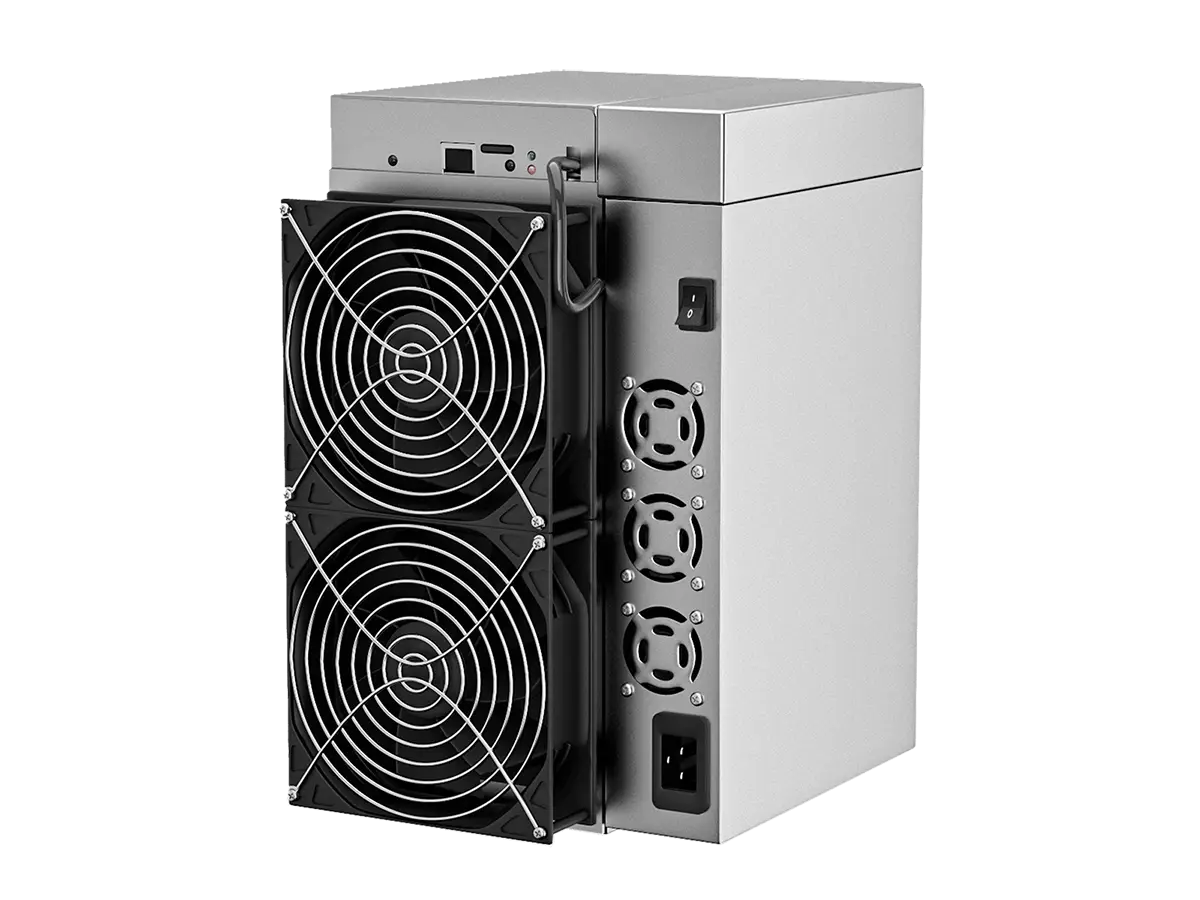
Goldshell calls each hashboard a computing board, and an SC6-SE carries four of them. A healthy board reports 84 chips; any other count is a fault, and so is a board the miner cannot see at all. Goldshell SC6-SE hashboard repair covers both, at component level, validated under load.
Goldshell SC6-SE hashboard repair starts where most owners get stuck: output is down, and nothing on the dashboard tells you which of the four boards to pull. Working that out is our job, not yours. You do not need to open the machine, identify the failed board, or take a single measurement to send one in. We diagnose SC6-SE computing boards on this platform's own terms, repair at component level, and prove the result in a running miner under load.
Technical Diagnostics and Common Issues with Goldshell SC6-SE
Quick Symptom Checklist
The digits inside these messages - board number, chip count, seconds - change from machine to machine. Match the shape of the line, not the numbers.
- Dashboard reports the miner as
Failed to startupwhile power and network look normal - Kernel log records
C1: No CPB Detected- the controller cannot see one of the four boards at all - Startup line comes back short of the design count:
C0: GSSC6 Init sucessed. 84 chips, N Total goodcoresreads lower than 84 (the spelling of that line is the firmware's own) - Dashboard shows
Overheat (chip)orOverheat (PCB), and the miner stops - Log records
CPB2 Overheat, So Shutdown Itfor one board while the other three stay in range - Log records
C0: !!!Get 0 Nonces in past N second, Try reboot dev!!!- the board is present but produces no work - Hash Board Status lists a board with hashrate at zero while the others are hashing
- Total output settles near a clean fraction of the machine's rate - about three quarters, or half - which is what losing whole boards looks like
Model-Specific Patterns We See on Goldshell SC6-SE
Output drops by a quarter, not by a trickle. Four boards carry this machine, so one board leaving takes roughly a quarter of the rate with it. Owners often read that step as a pool or network problem because the miner keeps running and nothing turns red. It is usually one board that stopped being counted.
The chip count comes back short in multiples of three. Chips on an SC6-SE board are powered in 28 groups of three, in series. A single failed chip takes its whole group down with it, so counts land at 81, 78, 75 rather than 83. This is why a board that lost "one chip" is never a one-chip job, and why the count itself tells us how many groups to look for.
Overheat (chip) with a board temperature that looks fine. The machine watches two different things: sensors on the board, and the temperature each chip reports about itself. A single chip running away will shut the board down while the board average still reads normal. Owners see the word overheat and clean the fans; the message is pointing at one chip, not at airflow.
Reduced hashrate that is not a fault at all. The miner has four named power plans - Hashrate Mode, Balance Mode, Low-power Mode and Idle Mode - and a machine sitting in Balance or Low-power will hash well under its rated figure with four perfectly healthy boards. Check which plan the miner is on before assuming anything is broken. It costs nothing and it is the cheapest fault to rule out.
Hardware Notes
| Specification | Details |
|---|---|
| Algorithm and cooling | Blake2B-Sia, air-cooled |
| Miner hashrate | 17 TH/s rated across the machine, so one failed board is roughly a quarter of the output |
| Hashboards per miner | 4 |
| Chips per board | 84 on a healthy board, 336 across the miner |
| Chip grouping | 28 groups of three, powered in series. The miner's own log calls each board a CPB, short for computing board, and numbers them from zero |
| Chip family |
ICT580. The same chip appears across Goldshell's Siacoin range at different counts per board, so the marking alone does not tell you which board you are holding - the chip count does |
| Thermal shutdown | Board temperature runs around 70 C in normal service and the miner cuts out at 88 C |
| Hashboard part number | Goldshell publishes none, and does not sell the board separately |
What the Log Is Telling You
None of this is something you need to act on. It is here so you know what state a board is in before you decide whether to ship it.
| What you see | What it usually means | What we do with it |
|---|---|---|
No CPB Detected |
The controller cannot see that board at all, rather than seeing a damaged one | We test the board on its own to separate a dead board from a dead supply or a broken link to the controller |
| Startup line reporting fewer than 84 chips | One or more groups of three failed to come up, and the board is running short | We map which groups dropped out, repair them at component level, and confirm the board returns the full count |
Overheat (chip) |
One chip is reporting a temperature the rest of the board is not | We work on that chip and its group, and check the thermal path before treating it as a dead chip |
Overheat (PCB) |
The board as a whole is too hot, which points at airflow, dust or a fan rather than one chip | We look for heat damage the overheating already caused, since a board run hot for weeks rarely arrives with only its original fault |
Get 0 Nonces in past N second |
The board is counted and powered but is producing no work | We put the board under real load, because a board that passes cold and fails warm is a different repair from one that never starts |
| All four boards present, output still low | Often the power plan rather than a fault | We ask which plan the miner was on before intake, so nobody ships a healthy board |
Diagnostics Focus
Two things come first on this machine, in this order. We separate the board from everything around it before we accept that the board is at fault, because on this platform a failed controller, a card that will not boot, or a supply problem all present as a board that will not start. Then we read the chip map group by group rather than the average, since the interesting information is which groups of three went missing and whether they sit together - that pattern distinguishes a local failure from a board that has been cooked.
Our Professional Repair Process
Gotchas
Corrosion decides what is worth doing before anything else does. Goldshell treats corroded and heavily burned boards as beyond repair and excludes corrosion from its warranty entirely. We do not refuse a board because it has been in damp air, but we assess the extent first and say plainly when a repair will not hold, rather than returning a board that works for a fortnight.
A board that ran with a failed fan arrives with more than its original fault. All four boards share one airflow path in this chassis, so a machine that kept mining after a fan quit will have cooked more than the board that failed first. We inspect all boards from the same machine on arrival rather than only the one the log blamed.
Typical Service Scenario
Three situations account for most of the SC6-SE boards that reach us. A machine in a room with dust or a restricted intake, where months of reduced airflow finish a board that would otherwise have run for years. A machine that kept mining after a fan failed, because output only dropped and nothing looked urgent. And a machine outside its 180-day factory warranty, where the manufacturer's route means shipping to Hong Kong at the owner's expense - which for a single board routinely costs more than the repair itself.
What Happens After Intake
Every board goes through incoming inspection, board-level diagnostics, component-level repair, cleaning and thermal interface replacement where required, at our lab in the USA. Validation is done in a live SC6-SE under mining load for a minimum of one hour, and the board is approved only when it returns its full chip count and holds it warm. Extended burn-in testing is available as a separate add-on service.
Diagnostics and Validation Equipment
Bench work here runs on STASIC and ASIC REPAIR testers, which is what makes group-level isolation practical rather than guesswork on a high-count board. No commercial fixture covers Goldshell's Siacoin line, and where a board has no fixture we build our own rather than work blind - that is ordinary practice in this lab, not an exception made for one model. Final validation of an SC6-SE board still happens in a running miner under load, because the point at which a cold-passing board reveals itself is the point at which it gets warm.
All repairs are performed personally by Alex, who has been servicing ASIC miners since 2019. See credentials →
Contact our repair team today and get your miner back to full power.