

BITMAIN
APW171215 PSU Repair Service
APW171215 PSU Repair Service
Drop off available in Fort Lauderdale, FL (2141 NE 51st Ct).
✅ Turnaround: 4–5 business days
✅ Board-level diagnostics + repair
✅ Full load testing before return shipment
✅ Warranty: 30 days (extendable)
✅ Bulk discounts available
• Dead or missing hashboard
• Chain errors & unstable domains
• Power circuit faults (LDOs, shorts)
• Sensor & signal line failures
🔬 Component-level repair (ASIC chips, LDOs, power circuits, SMD parts)
🔥 Burn-in testing (under load)
🔍 Our repair process (step by step)
🛡 Warranty terms & conditions
💬 Contact us for volume pricing
Share
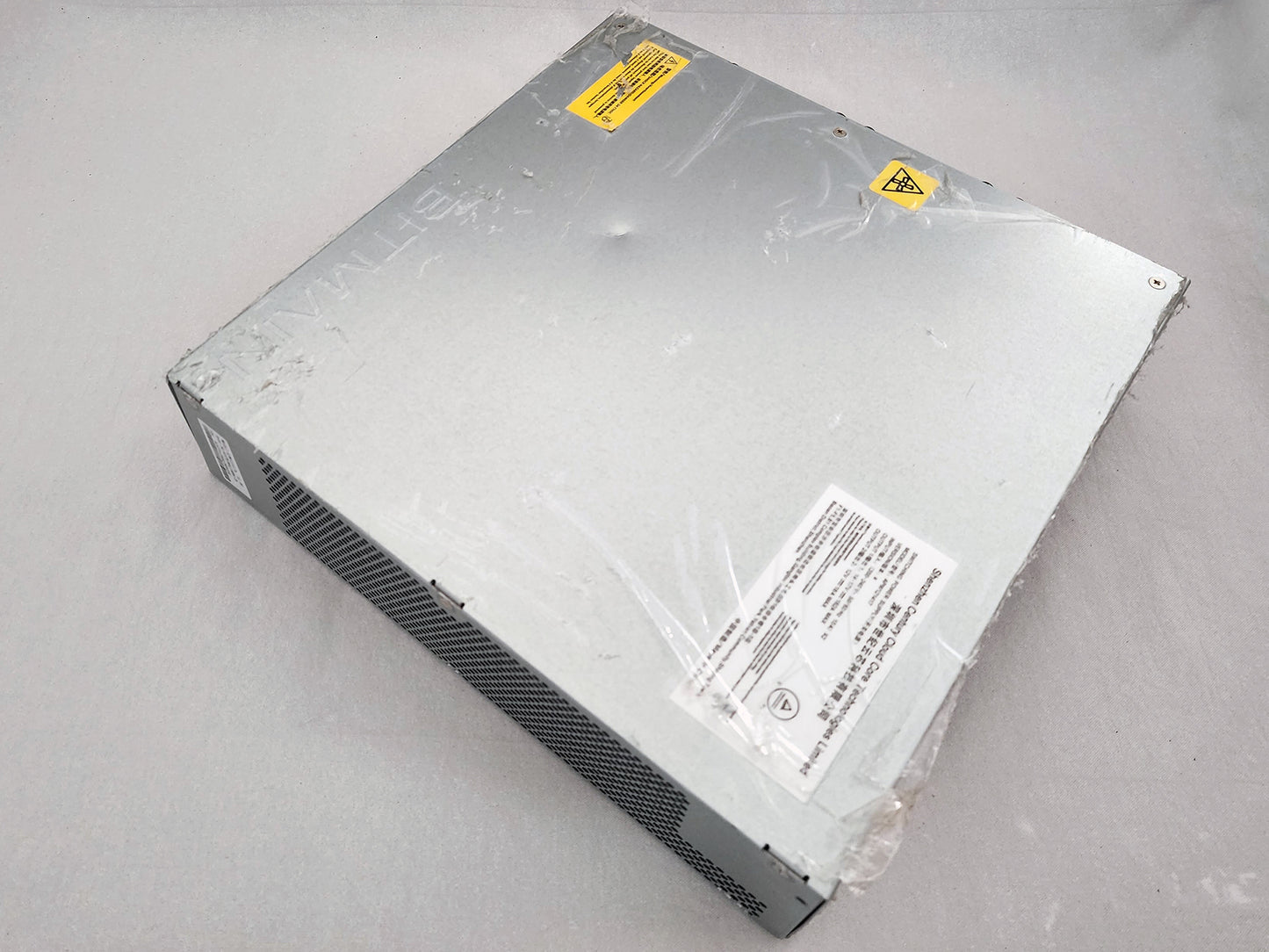
APW171215 PSU repair for Bitmain APW17 power supplies used in Antminer S21, S21 Pro, S21 XP, S21+, S19j XP, KS5, KS5 Pro, L9, and AL1 miners. We diagnose startup failure, unstable 12–15V output, auxiliary power faults, shutdowns under load, fan issues, and damaged PSU power stages using component-level troubleshooting and real mining-load validation.
Technical Diagnostics and Common Issues with APW171215
Quick Symptom Checklist
- Miner does not power on, PSU fans do not spin, or there is no relay click after AC input is connected
- Control board does not receive stable auxiliary power from the PSU
- Miner boots but hashboards fail to start when the PSU ramps the main 12–15V output
- Log messages such as “power voltage can not meet the target” or “get power type version failed”
- PSU shuts down under load, trips protection, or restarts during miner initialization
- Burnt smell, damaged connector, visible heat discoloration, or fan/airflow failure inside the power supply
Model-Specific Patterns We See on APW171215
- Dead APW17 PSU with no auxiliary output: the miner appears completely dead because the control board never receives proper standby/auxiliary power.
- Main output collapse during startup: the control board may boot, but the PSU cannot hold the requested 12–15V rail when the hashboards begin loading.
- Thermal shutdown or unstable operation: dust-packed airflow, failing fans, or operation in high ambient temperature can trigger shutdowns under mining load.
- Input-side or connector damage: wrong power cord, weak PDU connection, voltage issues, or previous surge events can damage the input/front-end section.
Hardware Notes
| Specification | Details |
|---|---|
| PSU model | Bitmain APW171215 / APW171215a / APW17 |
| Main output rail | OUT1: 12V–15V DC, rated up to 267A at 220V input |
| Auxiliary output rail | OUT2: 12.3V DC, rated up to 18A |
| Input voltage | 220–277V AC, 50–60Hz |
| Cooling type | Forced-air cooling |
| Protection features | Input low-voltage protection, output short-circuit protection, over-current protection, overheat protection |
| Common miner compatibility | S19j XP, S21, S21 XP, S21 Pro, S21+, KS5, KS5 Pro, L9, AL1 depending on miner configuration |
| Diagnostic priority | Auxiliary rail, input/front-end stage, fan system, main 12–15V output stability, load behavior |
Diagnostics Focus
- Startup and auxiliary power path: we verify whether the APW171215 can provide stable auxiliary power for the control board before the miner begins full-load operation.
- Main rail stability under load: we check whether the 12–15V output remains stable during miner startup, voltage ramping, and sustained mining load.
Our Professional PSU Repair Process
Gotchas
- High-voltage input and very high DC output current: APW171215 repair requires controlled diagnostics, safe discharge procedures, and proper load testing equipment. It should not be treated like a small desktop power adapter.
- Miner-side symptoms can be misleading: a weak APW17 PSU can look like a hashboard problem when the miner reports voltage target failure, chain startup problems, or power-type detection errors.
Typical Service Scenario
- S21-family miner will not power up: no fan movement, no control board activity, and no signs of stable auxiliary power from the PSU.
- Miner starts but fails under load: the web interface may be reachable, but the hashboards fail during startup because the PSU cannot hold the requested output voltage.
- PSU fails after dirty or hot operation: blocked airflow, fan wear, dust contamination, and high ambient temperature cause shutdowns, instability, or component stress.
What Happens After Intake
After intake, we perform incoming inspection, visual damage review, electrical diagnostics, component-level repair when practical, fan and airflow inspection, auxiliary rail verification, main output validation, and final testing under real mining load. If the PSU has severe burn damage, destroyed PCB sections, or transformer-level failure, we evaluate whether repair or replacement makes more sense before proceeding.
Diagnostics & Validation Equipment
APW171215 power supplies are checked with controlled electrical diagnostics, output stability testing, ripple/noise review where applicable, and final validation with a compatible miner under mining load. The goal is not just to make the PSU “turn on,” but to confirm that it can support real miner startup and sustained operation.
Contact our repair team today and get your miner back to full power.
Technical FAQ
Q: Can you repair an APW171215 PSU from an Antminer S21 Pro that does not power on at all?
Q: My Antminer S21 shows power or voltage errors. Does that always mean the APW17 PSU is bad?
Q: Can you repair an APW171215 PSU that powers the control board but fails when hashboards start?
Q: Is APW171215 the same as APW17 for repair purposes?
Q: Can I send only the APW171215 power supply, or do you need the whole miner?
Q: Do you load-test APW171215 power supplies after repair?
- Choosing a selection results in a full page refresh.
- Opens in a new window.
Have a repair question?
Ask anything about miner repair, diagnostics, shipping, or your next step.