


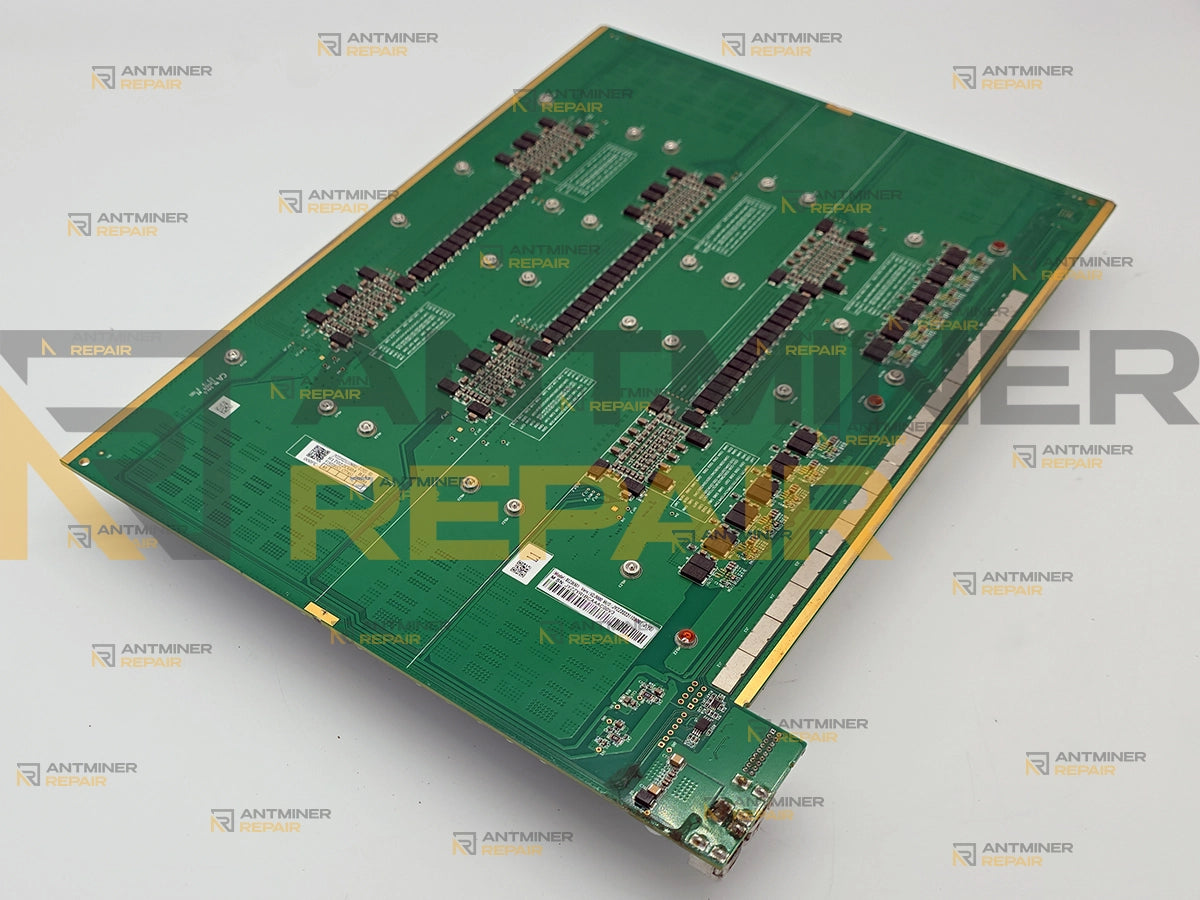
A healthy Antminer Z15 Pro hashboard reports six chips in two power groups of three, and any other count is a fault. A chip with dead cores often still passes the chain signal, so the board keeps hashing at a fraction of what it should; when it stops passing signal, the board disappears from the miner altogether. Both are repairable.
Antminer Z15 Pro hashboard repair is the practical route back to full hashrate on a machine that is still earning. New units are sold out at the manufacturer, so a dead board is a third of a working miner that nobody can simply reorder. We work at board level: diagnostics, power-group and chip repair, cleaning and thermal work, then validation under real load in a running miner. You do not have to open the machine or work out which of the three boards failed before you send it in — that part is ours.
Technical Diagnostics and Common Issues with Antminer Z15 Pro
Quick Symptom Checklist
These are the lines and readings Z15 Pro owners send us most often, taken from real machines. The numbers in brackets and after the colons change from machine to machine — match the shape of the message, not the digits.
- The dashboard lists only two hashboards instead of three, and total output sits in the 560s or lower
-
Sweep error string = J1:1.repeating in the log every couple of minutes -
check_low_hashrate low hashrate happened!against one chain -
no ratio hashrate last_5s: 0.000000, withlast_30minandlifetimevalues sitting at almost zero check_asic_number_with_power_on: Chain[X]: find 0 asic-
Chain X only find 0 ASICs, will power off hash board X, orERR_NO_HASHBOARDwith--where the board should be - A board that lists all 6 chips, calls every one of them normal, and still delivers far less than its theoretical rate
- Temperature for one board reads 0 or stops reporting, or the board works from cold and disappears once the machine is properly warm
Two things are worth ruling out before you ship anything: a fan error line in the log is a fan or its header, not a hashboard, and a miner that never appears on the network at all is usually a network or control-board problem. Neither needs a board sent anywhere.
Model-Specific Patterns We See on Antminer Z15 Pro
Chips leave in threes. The count on one board drops by three, or the board goes to zero outright. That is the shape of this hardware: six chips in two power groups of three, and when a group's power stage fails it pulls all three of its chips down together. A single-chip failure is the exception here, not the rule.
A failed chip does not always take the board with it — and the miner usually will not name it. Cores can die while the chip still passes the chain signal onward. The board stays in the miner's list, reports all six chips, marks their state as normal, and returns a fraction of what it should — on one machine here, 130 kSol/s against a theoretical 287, with the log repeating check_low_hashrate low hashrate happened! and no ratio hashrate. On this generation the firmware almost never flags the weak chips; they only show up when each chip is measured individually on the bench. Only when a chip stops passing signal altogether does the board vanish from the list. Owners write off boards in both states, and both are repairable.
Cleaning fixed the temperature, and then it came back. Sustained heat on this model damages the temperature-reading circuit itself, not just the paste. Fresh thermal compound makes the board run cooler and it still reports 0 or nothing at all, because the damage is already in the board. That fault does not clean out; it gets repaired.

Hardware Notes
| Specification | Details |
|---|---|
| Algorithm and cooling | Equihash — Zcash. Air-cooled, two fans. |
| Miner hashrate | 840 kSol/s from three hashboards. One board is about a third of the machine — lose it and roughly 560 kSol/s is what remains. |
| Hashboards per miner | 3 |
| Chips per board | 6 on a healthy board. Any other number the miner reports for that board is a fault — and a full count of six is not by itself proof that all six are working. |
| How the chips are grouped | Two power groups of three chips — the board says so itself, in the 3x2 of its own marking. A power fault inside one group takes all three of its chips with it, which is why the count moves in threes. |
| Chip family |
BM1746AA. The letter suffix is a production batch marking, not a different part — boards from different batches carry the same chip, and replacements are not exclusive to one model, so supply is not the bottleneck on this repair. |
| Power at the wall | 2780 W for the whole machine, on a built-in power supply. |
| Hashboard marking |
BEZ36501_3x2_HashBoard_V2.0, printed on the board itself. The 3x2 is the chip layout and the version at the end identifies the board revision. Quoting this string is the quickest way to tell us exactly what you have. |
What the Log Is Telling You
You do not need to act on any of this. It is here so you know what state your board is in before you decide to ship it.
| What you see | What it usually means | What we do with it |
|---|---|---|
Sweep error string = J1:1., repeating |
The miner keeps re-scanning a board that will not come up cleanly, and keeps failing at the same point. | We reproduce it on the bench and find where the chain stops, rather than letting the machine restart around it. |
check_low_hashrate low hashrate happened! with no ratio hashrate lines |
The board answers and counts its chips, but almost nothing it produces is accepted work. Powered is not the same as working. | We measure the chips one by one, because the miner reports them as normal whether they are or not. |
Chain[X]: find 0 asic |
The controller found nothing on that board. A dead power group, one dead chip and a broken link in the chain all look identical from here. | We power the board on the bench and establish which of the two groups is down before any chip is touched. |
Chain X only find 0 ASICs, will power off hash board X |
The miner has shut that board down deliberately rather than run it faulty. | We confirm the fault follows the board rather than the slot, then work the board itself. |
ERR_NO_HASHBOARD, slot showing --
|
The board is not answering at all — power delivery or the communication path into it. | We bring the board up in isolation and find where the chain stops responding. |
| All six chips listed and called normal, output well below the theoretical rate | Chips whose cores have failed still enumerate and still pass signal, so the dashboard has nothing to complain about. | We test each chip separately and identify the weak ones, which is the only place this fault becomes visible. |
| Around 560 kSol/s instead of 840 | Exactly one of three boards is out. The other two are doing their job. Anything lower means a second board is also down on output. | We treat it as a single-board job and tell you if the other two need anything. |
| Temperature 0 or missing on one board | The board's temperature reporting has failed, usually after a period of running hot. It is not a reading about your room. | We repair the temperature-reporting circuit and prove it on a warm run, not a cold one. |
| Works cold, drops out warm | Mechanical. Joints under a chip open as the board expands, and close again as it cools. | We run the board hot until it fails on our bench, then rework the joint that caused it. |

Diagnostics Focus
Group before chip. With only six chips on a board and only two power groups behind them, the fastest honest answer comes from proving which group is dead before anything is removed. Three chips going dark together usually means one power stage, and chips that were merely starved of power often come back once that stage is repaired.
Every chip measured, not polled. The miner's own report is not a verdict on this model — it will call a chip normal while that chip contributes almost nothing. Each of the six is tested individually here, which is why a board that looked fine in the dashboard can come back with a specific answer.

Hot before pass. A Z15 Pro board that behaves on a cold bench has told us very little, because the model's characteristic faults — opened joints and failed temperature reporting — appear under heat. Nothing here is signed off on a cold test.
Our Professional Repair Process
What to Ship Us
The choice above sets what arrives here, not what it costs. The price is the same either way — all that changes is the size of the parcel going back to you. Hashboard only suits you if you already know which board failed and are comfortable pulling it out. Complete miner suits you if the machine is sealed to you, or if the log is pointing at a chain and you would rather we established which of the three boards that is. Nobody is expected to diagnose their own miner before shipping it.
Gotchas
We do not price chips from a photograph. When a power group fails, three chips go dark at once — but dark is not the same as dead, and some of them come back the moment that group is working again. We repair the group first and re-count afterwards, so nobody is billed for chips that were only starved of power. Until the board is powered on a bench, any chip count quoted to you is a guess.
A cold pass is not a pass. Because heat is what kills these boards, we refuse to sign one off on a cold bench test. A board that has been overheated can enumerate all six chips perfectly, run for twenty minutes, and fail the moment it reaches working temperature. That is the exact fault the owner already lived through once.
Typical Service Scenario
Woken up after a long sleep. Zcash is worth mining again, and machines that sat in a garage or a container for a year or two are being switched back on. Dried thermal compound, a season of dust and the first heavy load in months arrive together, and the weakest board goes first.
Running hot, cleaned never. The maintenance interval for this machine is a dust clean roughly every 90 days. Boards that reach us have usually gone far longer, in a room warmer than the machine was designed for, until the temperature reporting or a power group gave up.
The grid did it. Storms, brownouts and a supply that sags under load leave a very recognisable signature on these boards. A miner that was fine before a power event and is missing a board after one is not a coincidence.
What Happens After Intake
Every board follows the same route through our USA-based lab: intake and incoming inspection, then diagnostics, then component-level repair, then cleaning and replacement of the thermal interface, then testing — on STASIC and ASIC REPAIR fixtures first and for a minimum of one hour inside a live miner under load afterwards. Extended burn-in beyond that hour is available as a separate add-on. Chips, where they turn out to be genuinely dead, are billed separately from the repair, because the number of them cannot be known until the board is on the bench.
Diagnostics and Validation Equipment
Bench measurement, STASIC and ASIC REPAIR test fixtures for chip count and work verification, our own per-chip test that scores each of the six chips separately, and final validation inside a working miner under real load. The fixture proves the chain; the per-chip test finds what the dashboard hides; only the miner proves the board.

All repairs are performed personally by Alex, who has been servicing ASIC miners since 2019. See credentials →
Contact our repair team today and get your miner back to full power.