


BITMAIN
Antminer S19k Pro Hashboard Repair Service
Antminer S19k Pro Hashboard Repair Service
By placing your order you agree to our Terms of Service, Warranty Terms and Refund Policy.
Drop off available in Fort Lauderdale, FL (2141 NE 51st Ct).
Repair guide last verified:
▸How to ship your hardware
Share
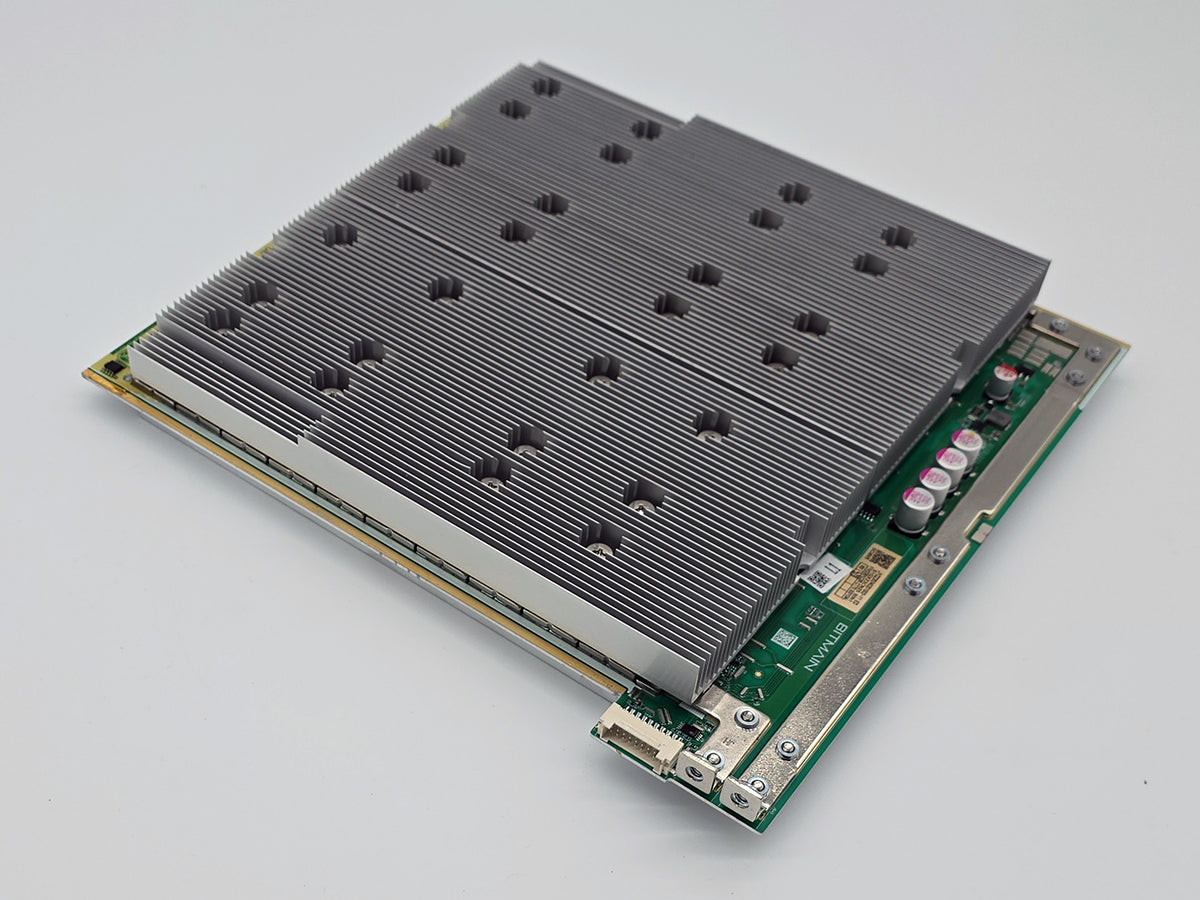
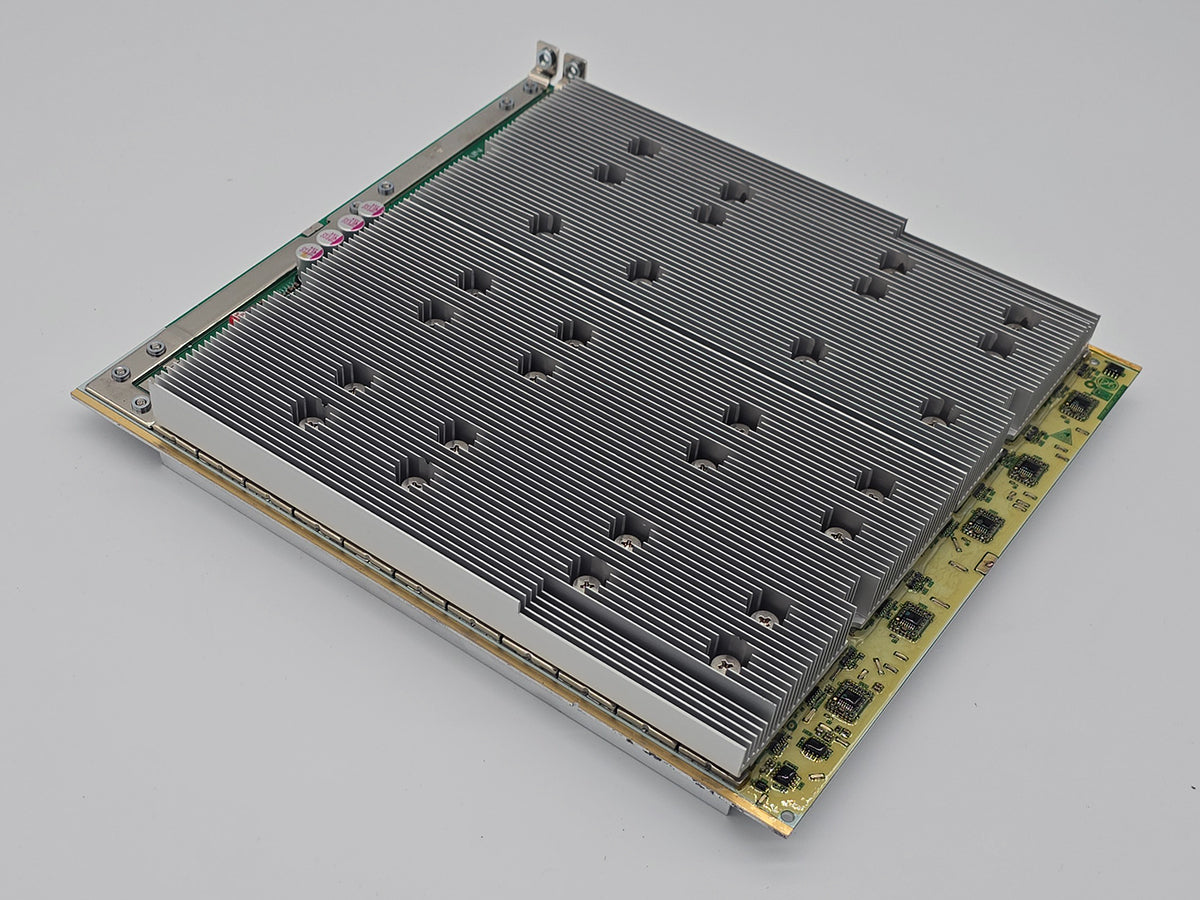
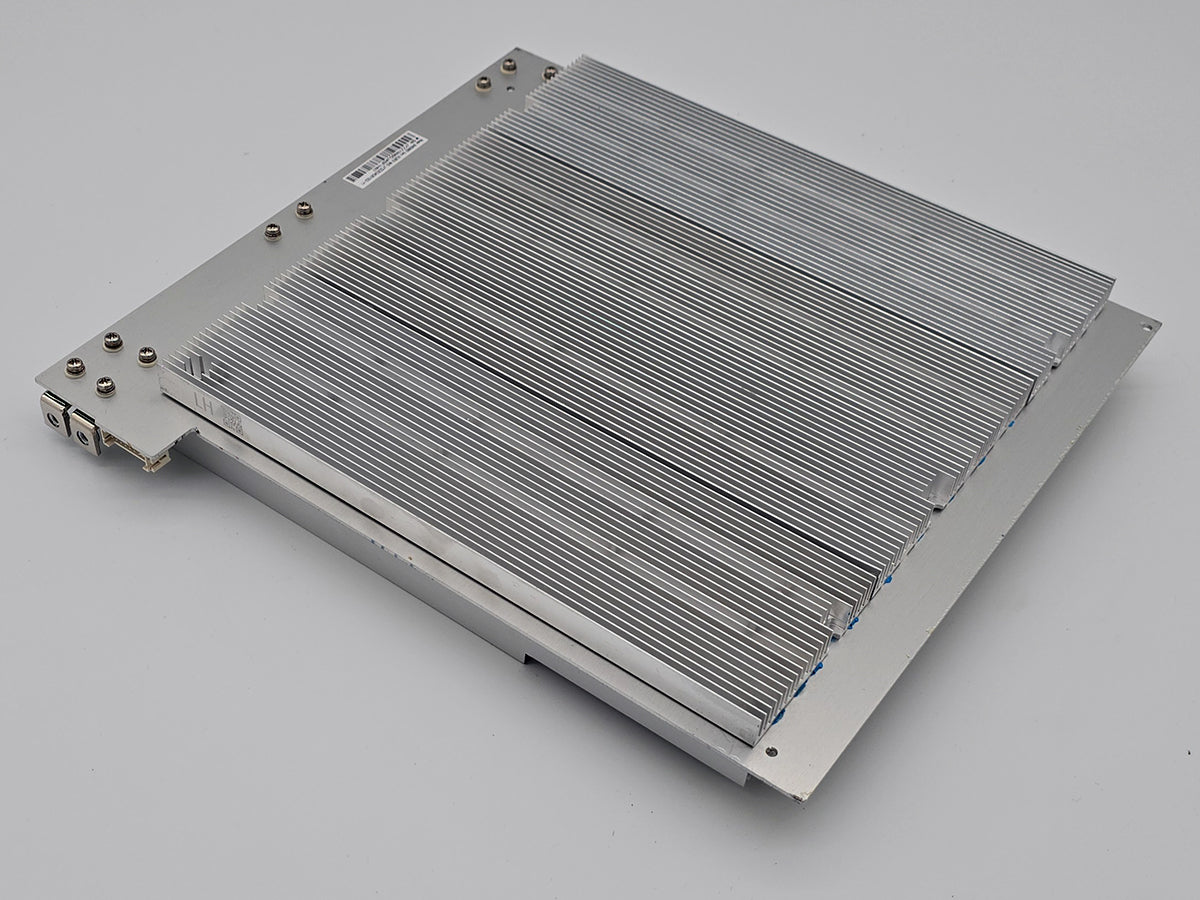
When one Antminer S19k Pro hashboard comes up short, stock firmware does not run on the other two: it powers the machine down, so a single failed board reads as a dead miner. The log names the board and the count. A healthy board reports 77 chips, and any other number is a fault. That board is repairable.
Antminer S19k Pro hashboard repair is the whole job on one board: diagnosis, component-level repair, and validation under real mining load before it goes back. Bitmain built this model in two mechanically different versions and we take one of them, which is worth a look before you ship anything. Beyond that, working out what failed is not your problem — that is what intake is for, in our USA-based lab.
Technical Diagnostics and Common Issues with Antminer S19k Pro
Quick Symptom Checklist
These are the lines S19k Pro owners send us, taken from real stock-firmware logs. The chain numbers and counts differ from machine to machine — match the shape of the line, not the digits. The machine numbers its boards from zero, so Chain[2] is the one you would call the third.
-
Chain[2]: find 6 asic, times 0repeating astimes 1andtimes 2— the firmware tries three times before it gives up, so a single line is not yet a verdict -
Chain 2 only find 6 asic, will power off hash board 2, followed byERROR_SOC_INIT: soc init failed!and****power off hashboard**** -
EEPROM error: CRC 3RD REGIONon one chain, or on all three -
ERROR_UNBALANCE: Unbalance happened, waiting!afterSweep error string = N:3., on a miner that reached full speed first - The dashboard reporting a fan problem while every chain still shows its full 77 chips
- The miner initialising, hashing for a few seconds, then shutting its own boards down
Model-Specific Patterns We See on Antminer S19k Pro
The EEPROM error is real and it is not the one that names your board. On a machine with one dead chain, EEPROM error: CRC 3RD REGION appears on all three chains — including the two that then go on to find 77 chips each and work perfectly. Owners read three errors and conclude three dead boards, or that the boards need rewriting. The count lines are what identify the failure; the CRC line is noise on top of it.
A fan error can be a board, and a board error can be a fan. When a fan drops out, and when the machine protects itself on temperature, the firmware cuts power to every hashboard — which is also what happens when a chain comes up short. All three end in the same place: zero hashrate and boards powered down. From the interface they are indistinguishable, which is why owners replace a healthy fan on a board fault, and ship a healthy board on a fan fault.
Half the alarming lines in the log are on healthy machines too. Open miner sn file /config/sn error, get test_loop_securely_find_asic_num failed and bad chain id = 3 all contain a word like failed or bad, all appear during a completely normal boot, and the last one is simply the firmware looking for a fourth chain on a three-chain machine. So is the wait: from cold this model prints Wait for hashboard cool, please wait, this may take up to 2 minutes... and then warms the boards to temperature before it hashes, which takes ten minutes or more. Owners in a cold room decide it has hung and power-cycle it, which starts the wait again.
Hardware Notes
| Specification | Details |
|---|---|
| Algorithm and cooling | SHA-256. Air-cooled, four fans. There is no hydro version of this model. |
| Miner hashrate | 115 or 120 TH/s as sold, both around 23 J/TH. The 136 TH/s figure that circulates is a high-power figure, not the rate a stock machine runs at. |
| Hashboards per miner | 3, at roughly 37 to 40 TH/s each. On stock firmware one failed board does not cost a third of the rate — it costs all of it, because the machine stops. |
| Chips per board | 77, and 231 in the machine. A healthy board reports 77 in the log; any other number is a fault. |
| How the chips are grouped | 11 groups of seven, fed together. Your screen will not use that word: the miner calls one board a chain, calls each chip an asic, and reports a count. |
| Chip family |
BM1366, marked BM1366BS or BM1366BP. Both appear on this board, nobody publishes what the letters mean, and the rule that matters is to match the marking already on your own board. |
| Hashboard part number |
BHB56902 is the common one; BHB56903 and BHB56907 also exist. A firmware build that does not know your board number says so in as many words: board name doesn't match. |
| Two board builds | One carries five long aluminium heatsinks held down by screws — two on the front, three on the back. The other carries 154 small heatsinks soldered on, one over every chip on both faces. See Gotchas below: we repair the first and not the second. |
| Released | Announced April 2023, shipping from August 2023. No S19k Pro in the field is still inside a Bitmain warranty. |
What the Log Is Telling You
None of this needs action from you. It is here so you know what state your machine is in before deciding to ship it.
| What you see | What it usually means | What we do with it |
|---|---|---|
Chain N only find M asic, will power off hash board N |
That board enumerated fewer than 77 chips three times running, and the firmware has stopped the machine over it. | We take that board, find where the chain stops answering, and repair it at component level. |
| A count of 76 rather than 6 | One chip has dropped out. It is the same class of fault as a count of 6, not a lesser one. | We test the chips separately, because a chip that answers is not necessarily a chip that works. |
EEPROM error: CRC 3RD REGION |
Abnormal, but it appears on healthy chains too and does not tell you which board failed. | We read it as context and let the chip counts name the board. |
ERROR_UNBALANCE: Unbalance happened, waiting! |
The machine hashed and then stopped itself. Often heat or power delivery rather than the pool or the firmware version it followed. | We reproduce it under load before treating it as a board fault, and say so if it is not one. |
| A fan error with all three chains at 77 | Could be a fan, could be a board — both end with every board powered down. | We separate the two on the bench rather than guessing from the dashboard. |
bad chain id = 3 and other startup noise |
Nothing. These lines print on machines that hash perfectly. | Nothing — we tell you so and save you the shipping. |
Diagnostics Focus
Seven chips to a group is a coarse split, and it changes what a missing chip means. On this board the chips sit in eleven groups of seven rather than in pairs, so a chip that stops answering may be the chip or may be the group it shares its supply with. Separating those two is the first job, and on a seven-chip group getting it wrong costs six working chips.
Nothing is judged cold. This model takes ten minutes or more to come up to temperature before it hashes at all, and a bench test cut short on it produces failures that are not there. Every board gets the full warm-up before any verdict is written down.
Our Professional Repair Process
Gotchas
We repair one of the two S19k Pro boards, and it is worth ten seconds to check which you have. Look at the board. Five long metal bars held down by screws, two on the front and three on the back, is the one we take. A small individual heatsink sitting on top of every single chip, soldered on with no screws anywhere, is the one we do not — reaching a chip on that board means desoldering metal off both faces first, and it is also the build Bitmain itself will not accept as a bare board. Check before you pay for shipping.
Chips are counted after the board is powered, not before. How many need replacing is not knowable from a log line, so the repair price covers the work and the chips are settled once the board is on the bench and the number is known. You hear the number before it is done, not after.
Typical Service Scenario
A machine bought in 2023 or 2024, failing just outside its year. This model shipped from August 2023 with a one-year term, so the boards that fail now fail as the owner's problem rather than Bitmain's, and that is most of what arrives here.
A miner in an enclosure or a warm corner. Unbalance shutdowns and temperature stops get blamed on the firmware update that started catching them. The update is rarely the cause; it is usually the first thing strict enough to notice.
A machine that was fine until somebody changed the firmware. Flashing between stock and third-party builds on a board number a build does not recognise leaves a miner that will not initialise at all, which looks exactly like dead hardware and is not.
Running the Miner While the Board Is With Us
Stock firmware will not run this machine a board short: it powers the whole miner down, so one failed board costs all of the rate rather than a third. On the firmware that lets it keep hashing, that board is switched off and the other two carry on, leaving two thirds of a three-board S19k Pro. The empty slot has to be blocked; otherwise the remaining boards run hotter than they did with a full set. A dead chip cannot be bypassed — only a whole board — and it still has to come in.
Diagnostics and Validation Equipment
Bench measurement, STASIC and ASIC REPAIR fixtures for chip count and work verification, a per-chip test that scores all 77 separately, and final validation inside a working S19k Pro under real load for at least an hour. Extended burn-in beyond that hour is a separate add-on. The fixture proves the chain; the per-chip test finds the chip that answers but does not work; only the miner proves the board.
All repairs are performed personally by Alex, who has been servicing ASIC miners since 2019. See credentials →
Contact our repair team today and get your miner back to full power.
Technical FAQ
Q: My Antminer S19k Pro says Chain 2 only find 6 asic, will power off hash board 2. Is the whole miner dead?
Q: Why does my Antminer S19k Pro stop completely when only one hashboard is bad?
Q: My Antminer S19k Pro log shows EEPROM error CRC 3RD REGION on all three chains. Are all three boards dead?
Q: The dashboard on my Antminer S19k Pro says fan error but all the chips are there. Do I send a fan or a board?
Q: How do I know if my Antminer S19k Pro board is the version you repair?
Q: I cannot tell which Antminer S19k Pro hashboard is the faulty one. Can I just send the miner?
Q: Do I pay separately for BM1366BS or BM1366BP chips on an Antminer S19k Pro repair?
- 5 stars: 8 (100%)
- 4 stars: 0 (0%)
- 3 stars: 0 (0%)
- 2 stars: 0 (0%)
- 1 star: 0 (0%)
Repair was fast and board is still working like new!! Will be sending more!
Antminer Repair is now my goto for ASIC repair. I had knocked 3 chips and heatsinks off the board. The repair was beautiful, shipping was fast, and the price was great. Can't recommend highly enough!!
Quick easy process. Alex fixed my S19j pro+ in a few days and had it back in my hands in under a week.
Hash board was fixed within a few days. Good communication.
Fast return, and they are all hashing- another Outstanding Job!!!
Quick turnaround, board tested in miner for 24 hours runs as should be, work on board looks great
El hashboard funciona perfectamente
Very impressed with this service. Faulty board (from a new miner) was repaired very quickly. Shipped from/to the United Kingdom. Board is back in the miner and working well. I chose this rather than the official warranty service after reading lots of horror stories.
Would highly recommend Antminer Repair!