


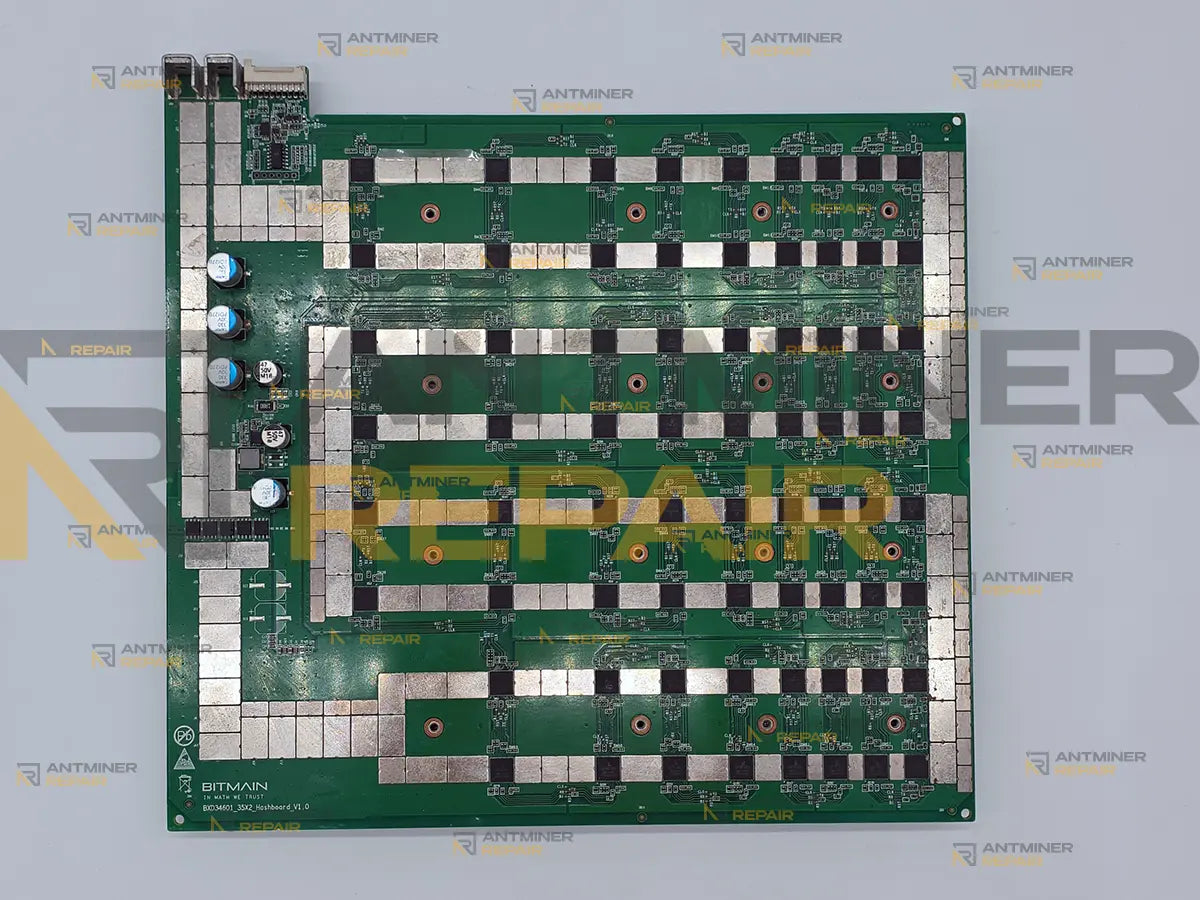
Antminer D7 hashboard repair starts with the count the miner already gave you: 70 chips on a working board, and anything else is a fault. Three boards make up the machine, so one that reports short or drops out of the list costs a third of the 1286 GH/s. Both states are repairable at component level.
Antminer D7 hashboard repair at our USA-based lab is board-level work on the X11 boards Bitmain shipped from late 2021, none of which has been under manufacturer warranty for years. We diagnose the board, repair what failed on it at component level, and validate it under load inside a running miner before it goes back. Working out which of the three boards is at fault is not something you need to solve before contacting us.
Technical Diagnostics and Common Issues with Antminer D7
Quick Symptom Checklist
These are the readings D7 owners send us. The numbers inside a log line differ from machine to machine, so match the shape of the message rather than the digits. Note also that the machine numbers its boards from zero, which is why chain=2 is the board you would call the third one.
-
chain=0 msg="ChipSetting_get_addr_DASH detect 0 chips"— the board answers, and nothing on it does - The same line with a count below 70, for example
detect 34 chips. Any number other than 70 is a fault, and the digit you see will be your own - A chain gone from the list altogether, and the machine settling near 857 GH/s instead of 1286
-
ERROR_TEMP_TOO_HIGH: over max temp— a string shared across this firmware generation, the D7 included - The miner stopping outright on temperature rather than slowing down: firmware halts it when the outlet reads 75 C
- Accepted work falling away over weeks while nothing in the interface turns red
Model-Specific Patterns We See on Antminer D7
A count one short is a dead chip, not a rounding error. Owners read 69 where they expect 70 and treat it as noise, because the board is still hashing and the interface stays quiet. It is one chip that has stopped answering, and the chain around it is carrying the difference. Worth knowing when a shop quotes that number back to you: on this board the chips are numbered from 000 to 069, so a 69 is a count, not the name of a chip.
A machine that will not come up is often a machine on one power cord. The D7 has two AC inlets and the supply built in, and Bitmain is explicit that both sockets have to be connected before the equipment will run. After a rack move or a shelf change this is the first thing to rule out, and it costs nothing to check. We would rather tell you that than take delivery of three healthy boards.
An over-temperature stop is not always heat. The path that reads temperature runs on the board itself, so when that path fails the machine reports the same condition it reports when it is genuinely hot, and better airflow changes nothing. The two look identical from the interface and separate immediately on the bench.

Hardware Notes
| Specification | Details |
|---|---|
| Algorithm and cooling | X11 — Dash. Air-cooled, four fans. |
| Miner hashrate | 1286 GH/s from three hashboards, roughly 429 per board. Lower bins of 1157 and 1183 GH/s were also sold under the same name. |
| Hashboards per miner | 3. One board out costs a third of the machine, which leaves it near 857 GH/s. |
| Chips per board | 70, and 210 in the machine. A healthy board reports 70 in the log; any other number is a fault. |
| How the chips are grouped | 35 groups of two, each pair fed together. Your miner will not use the word: on screen one board is a chain and what it reports for that chain is a number of chips. |
| Chip family |
BM1764, marked BM1764AB. An earlier BM1764AA marking also exists and suppliers report the two interchangeable. The letters are a silicon revision marking, not a date code. |
| Hashboard part number | Bitmain publishes none for this model. The BHB numbering that identifies L7, S19 and S21 boards has no D7 entry, so there is no code to quote back at a seller — identify a D7 board by the chip marking and the 70-chip count instead. |
| Thermal interface | The large spreader is bedded on thermal compound rather than screwed to bare chips, so any work underneath it means the bed is stripped and laid again. |
| Power | 3148 W for the machine, from a supply built into it, with two AC inlets. Both have to be connected or the machine will not run at all. |
| Released | Late 2021. No D7 in the field is still inside a Bitmain warranty, and the model has not been declared end of service. |
What the Log Is Telling You
None of this needs action from you. It is here so you know what state your board is in before deciding to ship it.
| What you see | What it usually means | What we do with it |
|---|---|---|
ChipSetting_get_addr_DASH detect 0 chips |
The board is answering the controller, but nothing on it is. | We bring the board up on the bench and find where the chain stops responding. |
| The same line with a count below 70 | One or more chips have stopped enumerating; the board goes on hashing with what is left. | We test the chips separately to find the one that breaks the chain, rather than trusting the count alone. |
| A chain absent from the list, machine near 857 GH/s | That board is not answering at all, which is a different fault from a short count. | We start from how power reaches that board before we look at any chip on it. |
ERROR_TEMP_TOO_HIGH: over max temp |
Either the machine really is hot, or the board can no longer read its own temperature. | We prove the reading path before accepting the temperature as real. |
| The miner stopping at 75 C outlet instead of slowing down | Protection working as designed. It is the consequence of a fault, not the fault. | We look for what raised the temperature, since the threshold is not something to tune away. |
| Nothing at all after a move, or boards missing from a machine that was fine | Very often one of the two AC inlets is not connected. | Nothing — we say so and save you the shipping. |
Diagnostics Focus
The count says where, not why. A chip goes quiet both when it has failed and when the pair it is fed with has been starved, and on this board the chips sit in groups of two. Separating a dead chip from a starved pair is the first job, before anything comes off the board.
Every board is run twice, cold both times. A D7 that passes once has proved it enumerates; it has not proved it holds. The faults this model arrives with are the ones that appear after the board has been warm for a while, so a full cool-down and a second run are part of the test, not an extra.
Our Professional Repair Process
Gotchas
The compound under the spreader is part of the repair, not an afterthought. Reaching anything on this board means lifting a spreader that sits in a bed of thermal compound, and that bed cannot be reused. Boards that come back from elsewhere still hot under load are often boards where it was put back rather than replaced.
We do not sign a D7 off on one passing test. A single pass on a cold board is the easiest result to get and the least informative one, which is why a board that reads perfectly on its first run still goes back for a second after it has cooled.
Typical Service Scenario
Four years in a warm room. The D7 shipped in late 2021, and the machines still earning have mostly never had the compound under the spreader touched. Dried compound and a summer of dust arrive together, and the weakest chip goes first.
Something happened on the line. Storms, brownouts and a supply that sags under load leave a recognisable signature on these boards, and with two AC inlets there are two ways for that to reach the machine.
Switched back on after a quiet spell. A D7 that sat idle through a low Dash price and then went straight back to full load tends to show its faults in the first days, not the first months.
What Happens After Intake
Every board takes the same route through our USA-based lab: intake and incoming inspection, diagnostics, component-level repair, then cleaning and replacement of the thermal interface, then testing — on STASIC and ASIC REPAIR fixtures first, and for at least an hour inside a live miner under load afterwards. Extended burn-in beyond that hour is a separate add-on. Chips that turn out to be genuinely dead are billed separately, because how many need replacing is only known once the board is powered on a bench.
Diagnostics and Validation Equipment
Bench measurement, STASIC and ASIC REPAIR fixtures for chip count and work verification, a per-chip test that scores all 70 separately, and final validation inside a working D7 under real load. The fixture proves the chain; the per-chip test finds the chip that answers but does not work; only the miner proves the board.

All repairs are performed personally by Alex, who has been servicing ASIC miners since 2019. See credentials →
Contact our repair team today and get your miner back to full power.